
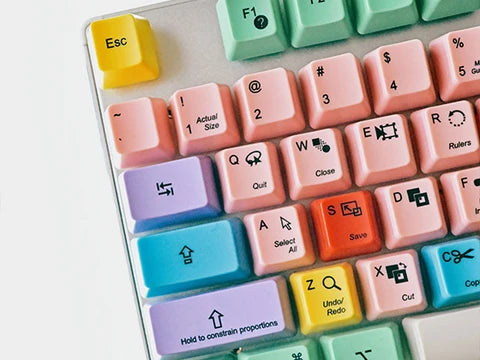



The SOUL65 is COSO Studio's 65% custom mechanical keyboard kit, and its appeal comes down to materials and industrial design rather than spec-sheet numbers. The build shown here pairs the stainless steel knife-pattern edition with a polycarbonate top case and bottom plate, finished with a Keyboard Science Mac Color keycap set. One detail worth noting: the side badge on this unit is still red copper — a stainless steel badge hasn't been produced yet. This overview is based on the kit's published specifications and shared build footage, not hands-on testing.
A Case Built From Contrasting Materials


Most custom keyboards chase minimalism. The SOUL65 goes the other way, with a concave curved surface wrapping the key area, a bar-shaped accent block on the left side, and a bottom shell built up in distinct layers. The result reads as industrial-mechanical rather than understated.
On this particular configuration, the frosted polycarbonate top case softens all that metal, letting the copper badge and the beige-and-white Mac Color keycaps carry the warmth. The board's own poetic framing — moonlit mist, autumn frost jade — fits the cool, quiet palette well.
Editorial scoring drawn from public coverage reflects that emphasis: design at 9.7/10 and materials at 9.4/10 tower over gaming suitability at 7.0/10, for an overall 8.7/10. This is a keyboard bought with the eyes first.
The Knife-Pattern Steel Bottom, Up Close


The underside is where the stainless steel edition earns its name. A fine diagonal machined texture — the "knife pattern" — covers the metal surfaces, catching light in narrow bands and giving the heavy bottom plate a visibly different character from the smooth PC shell above it.
That layered construction is deliberate. The metal plate sits beneath the translucent case edge, with the logo and mounting points integrated into the steel rather than added on. Copper-bottom versions of the SOUL65 push this same idea further, and reviewers have noted the board keeps the Soul series' design language while feeling more balanced than the earlier, larger-layout models.
Firm Gasket Feel, Not Deep Flex
Structurally, the SOUL65 uses an eight-point silicone gasket mount with a 1.6mm PCB, available in soldered or hot-swap versions, and plate options including aluminum and FR4. The typing angle is 7° with a 17mm front height, and the finished weight runs from roughly 1.24 to 3.05 kg depending on configuration — this is a desk-bound board.
The mount is not tuned for dramatic give. Expect a firmer, more planted feel, which means:
1. If you like a stable, solid bottom-out, this kit should suit you.
2. If you chase a soft, bouncy gasket feel, look carefully before committing.
3. Switches, plate, and foam choices will meaningfully shift the final typing experience.
Sound is similarly open-ended. The kit alone doesn't dictate the sound signature; shared builds with different switch and plate combinations show how wide the range is.
A few caveats round out the picture. Beyond the kit price, you'll typically budget for switches, keycaps, and assembly. The 65% WK layout drops the F-row and dedicated navigation, so some software and games rely on layers. And this is a traditional custom board — anyone prioritizing magnetic-switch esports features like RT, SOCD, or 8K polling should look elsewhere, such as a dedicated performance board in that category.
Editor's Notes & Summary
The SOUL65 rewards builders who prioritize materials, sound tuning, and a distinctive industrial look over raw performance specs. Core configuration and version pricing below.
| Spec | Detail |
|---|---|
| Brand | COSO Studio |
| Layout | 65% WK |
| Case material | Aluminum, with optional metal configurations |
| Structure | Silicone gasket |
| PCB | 1.6 mm, soldered or hot-swap versions |
| Plate | Aluminum, FR4, and other options |
| Typing angle | 7° |
| Front height | 17 mm |
| Weight | About 1.24–3.05 kg depending on configuration |
| Connection | Wired custom solution |
| Group buy reference price (CN) | From ¥1,299 (about US$195) |
| Version | Group buy reference | Best for |
|---|---|---|
| Aluminum bottom | ¥1,299 (~US$195) | Value first |
| Brass bottom | ¥2,100 (~US$315) | Metal texture |
| Copper bottom | ¥2,399 (~US$360) | Copper aesthetics |
| Stainless steel bottom | ¥2,799 (~US$420) | Collectors and heavy builds |
Prices reflect published group-buy references, not current retail listings.


10 comments
Haha, installed them wrong and only noticed afterward — I’m doomed, every photo and video now shows QWRE.
Oh no, the QWER came out as QWRE.
Finally got to see the colorway I was waiting for — I love this cool, aloof look. If the badge on the left side were bright silver, it would be perfect.
Does this keyboard have lighting effects?
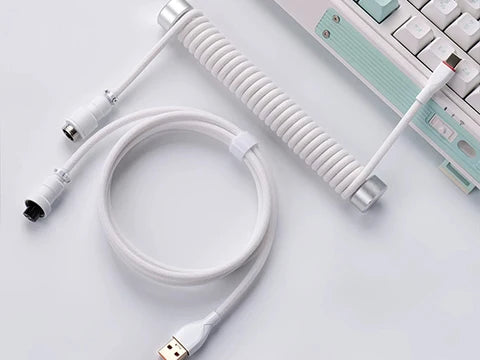
It has a center-mounted magnetic connector.
Can it take an Esu67 PCB?
fn
Another keyboard without F-row keys — how are you supposed to use professional design software with it?
Where can I buy this?
Both the knife-pattern and PC versions are rare — supposedly single-digit quantities. Getting the exact one shown in my photos will probably be really hard.