



A dark desktop can either swallow a room or give it depth. This Shanghai freelancer's setup? It leans hard into the second option. Black-and-warm-light workspace, anime art, a Kuycon G34W monitor, and a TRYX LUCA70 case all sharing one surface. The screen's got this black-and-white anime portrait on it, and the cool linework meets this warm orange glow from a Philips Hue Play bar sitting off to the side. That contrast—that's what keeps the desk from feeling flat and dead after the sun goes down.
Where the Contrast Actually Comes From

The real visual anchor here? It's the monitor image itself. Not some accessory tucked away—the actual screen. You've got this monochrome anime character sitting there with all these hard edges and pale skin against the Kuycon G34W. Then from the side, the Philips Hue Play pushes this warm orange light into the whole frame. Cold graphic, warm wash. It reads as quiet and a little moody once it gets dark, which is exactly what this setup is going for.
The black hardware seals the mood. The TRYX LUCA70 case and ANTGAMER AGK75 Pro keyboard—they form this dark, hard-edged skeleton. And when the ambient light hits it, the whole palette shifts from pure cold black into something warmer, something that doesn't feel quite so harsh.
One Desk, Three Different Modes


Here's the thing: the whole setup shifts between work, gaming, and creative production without needing to rearrange anything.
1. MacBook Air — handles everyday productivity stuff.
2. Desktop PC — takes on the heavy rendering and gaming.
3. iPad Pro — fills the gaps in between.
The Steelcase Gesture chair supports long hours, so you can stay locked in through all three modes. Nothing here is just one tool, and nothing needs to get unplugged when you switch gears.
The Case as a Display Piece

The TRYX LUCA70 doesn't hide under the desk. It sits right up top, glass side facing out, lit from the inside. Blue-white light traces across the fan frames and the interior, and there's this small display inside showing live system info. A white game controller sits on a wooden stand right in front of the glass—close enough to just grab when you need it.
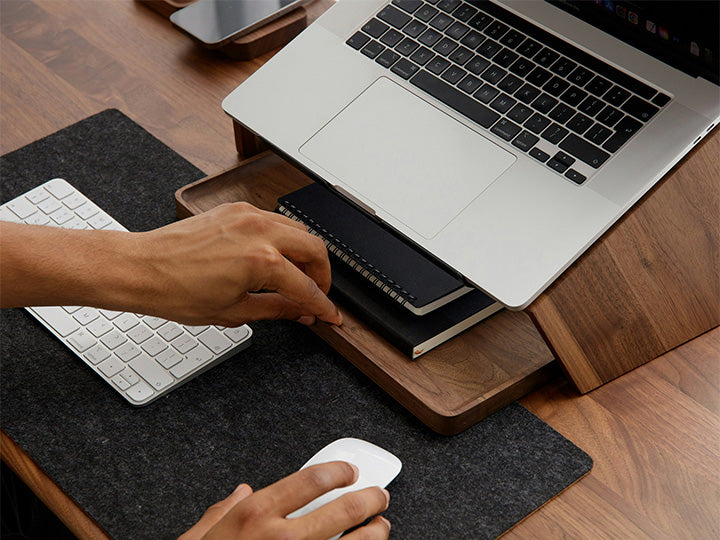
That placement turns the whole PC into part of the decor instead of just some box to tuck away. Everything else on the surface stays clean: keyboard on a light mat, mouse on the right, phone and tablet laid flat on the dark desktop.
The Full Picture
This desk works because it commits to one palette and one mood instead of throwing everything at the wall. Black hardware, one strong screen image, and warm side light do all the heavy lifting. Three devices split the workload so the setup can move between productivity, rendering, and play without feeling cramped. Here's what's actually on this desk:
- Desk: ZhiXin KU1
- Chair: Steelcase Gesture
- Desktop riser: Hexcal Studio
- Desktop PC: TRYX LUCA70
- Laptop: MacBook Air
- Tablet: iPad Pro
- Monitor: Kuycon G34W
- Speakers: Edifier Halo 2.0
- Keyboard: ANTGAMER AGK75 Pro
- Ambient light: Philips Hue Play


5 comments
That goes without saying.
Cool, iFeng.
That phone is a OnePlus 12.
Not a single cable in sight.
Is the controller stored inside the case?