





WALLHACK's first 65% wired magnetic keyboard puts its most-used feature right where your fingers already are — a physical knob at the top right that lets you dial in actuation travel and Rapid Trigger without touching a menu. The rest of the build is solid too: CNC 6063 aluminum case, Gateron KS-TR linear magnetic switches, and a web-based config setup that keeps your profiles stored directly on the board itself.
Adjusting Travel and Rapid Trigger by Hand


There's a stepless knob at the top-right corner, and the case next to it has a numbered scale from 0.1 to 3.5 mm (marked MM for deeper tweaks). Twist the dial and the indicator lights up to match, so you always know where you're at without staring at a screen.
The same knob handles Rapid Trigger, and WALLHACK claims 0.01 mm of actuation precision with an 8K polling rate to back it up. Two keys labeled RT and AP sit right next to the dial in the right column, keeping your most-used settings within reach without moving your hand far off the keyboard.
CNC Aluminum, Magnetic Switches, and PBT Caps


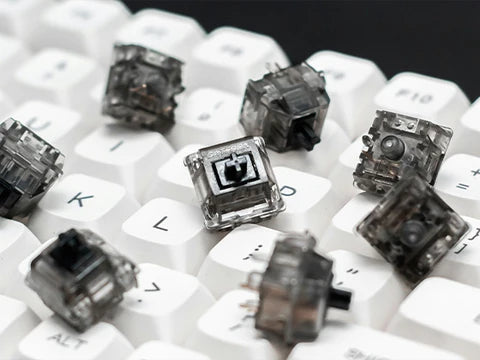
The case is CNC-machined from 6063 aluminum in a silver finish, topped with black double-shot PBT keycaps. The switches are KS-TR linear magnetic units made with Gateron, and because they're magnetic, the keycaps sit over exposed sockets. Pop one off and you can see straight to the plate and the WALLHACK stamp on the top frame.
It's a standard 65% layout — numbers row, arrow cluster, compact right column — so it doesn't take up much space on a desk. You can shift it slightly off-center and still have room for your mouse without any crowding.
Onboard Setup, SOCD, and a Three-Position Stand


You configure everything through the WALLHACK Core-MK1 platform — a web interface that saves your settings right to the keyboard itself. So your profiles go wherever the board goes, no desktop software needed. It also handles controller emulation and SOCD, with options based on how deep you press or which input came last.
Typing angle? That doesn't come from flip-out feet — it comes from the included aluminum stand, which gives you three options: 0°, 4°, or 7°. The underside of the case stays clean and flat. Crack open the case and you'll see a machined bottom with the WALLHACK name recessed into it, a separate middle frame, the USB-C port, and the black PCB underneath with the switch pads and mounts for those magnetic switches.
Editor's Notes & Summary
The K-001 isn't trying to win on one headline spec. It's about where control actually lives — travel distance, Rapid Trigger, angle — all on physical parts like a knob and a stand instead of buried in menus. If you're already someone who tunes your actuation points regularly, that's the appeal right there.


2 comments
No, there isn’t.
Is there a version with an F row?