


A desk doesn't need to look perfect—it just needs to work. When you're glued to a drawing tablet all day, the wrong monitor placement can completely tank your workflow. Here's how one simple swap fixed my cramped setup and finally brought some sanity to the cable mess.
Why the Old Layout Was Driving Me Crazy


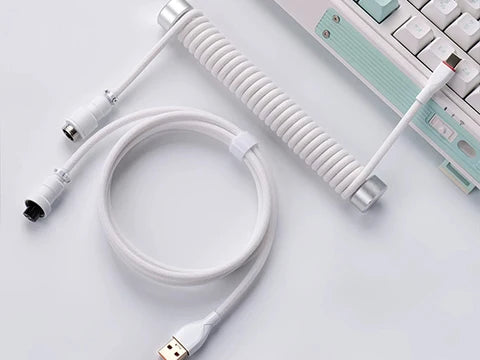
I'm kind of obsessed with wired connections—can't deal with the constant charging cycle. So yeah, everything that can be plugged in, I plug in. Except the mouse and keyboard, obviously. But that obsession? It turned my desk into a rat's nest of cables.
The real issue though was the layout itself. Since I live on my drawing tablet, the old setup had this massive secondary monitor crammed on the left side. It basically squeezed out the keyboard and forced me to reach my arm across the entire desk just to type. Super awkward. Not ideal when you're trying to stay in a flow state.
The Fix: Just Swap Them Around


So I decided to blow the whole thing up and start fresh. The big move? Swapping where those two secondary monitors sit. Now the keyboard lives perfectly under the smaller screen. Suddenly there's actual breathing room for the tablet, and I'm not contorting my body just to type a sentence.
The workflow is smooth now. Honestly, I wish I'd done this months ago.
The Little Things That Actually Matter


Those smaller screens now pull double duty—music, Discord, reference images, whatever. The main monitor stays uncluttered for actual drawing work. The keyboard tucking under the smaller screen means my left arm can finally relax. And yeah, the cables are still there, but they're hiding under the desk and behind the monitors now instead of tangling around everything.
Editor's Notes & Summary
Functional always beats pretty. Prioritize what actually matters to your workflow—in my case, that's drawing tablet real estate and not overreaching for the keyboard. The cables didn't disappear, but they stopped being in the way. That's enough.


5 comments
My old setup is missing something.
This is what makes it feel lived-in. The main thing is it’s easy to maintain. If you chase extreme tidiness, either you never touch the layout for a long time, or it’s just for show. Do whatever is convenient for you.
Get a wired phone too in that case, and wired earphones/headphones 😂 and get a wired credit card and keys since you’re a firm believer.
I organized for a long time too, and finally it looks clean.
We don’t have so many old things in China. It’s 2025, and you’re still using retro stuff from the 80s and 90s? You don’t even need keys—just use your phone’s NFC to swipe the door card.